Daniel Mason

Lead UX Designer · Enterprise SaaS · AI/ML

LinkedIn

Infrastructure for Legal Tech

80

NPS (120-day target)

-16%

Referral redundancies

90%

Grant admin reduction target

2

Phases · client returned without RFP
Project
Two-sided referral marketplace and grant management system in Salesforce.
Contributions
UX Design, Stakeholder Alignment
Team
Product Manager, Engineer, Me
Client
Open Door Legal
Timeline
6 months

The client

Poverty is dramatically reduced when everyone has access to legal representation.

Open Door Legal is an award-winning San Francisco nonprofit running a high-volume intake and referral operation across housing, immigration, and family law. When they came to me, they had two problems. One they knew about. One they discovered once we started working.

Product showcase

The brief: build a two-sided referral marketplace inside Salesforce—connecting ODL with partner legal organizations—so referrals could be created, sent, tracked, and received in one system.

Compliance
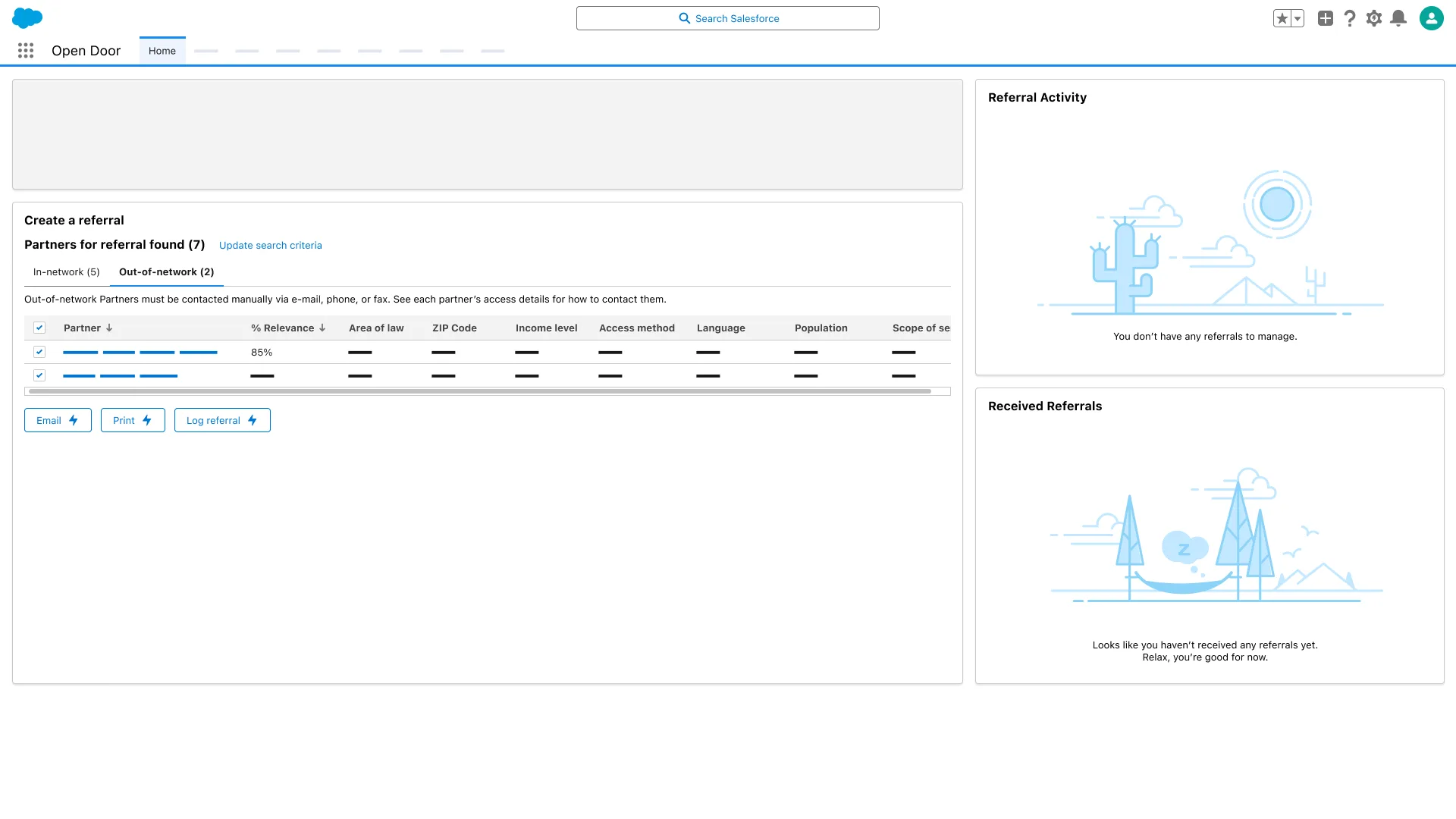
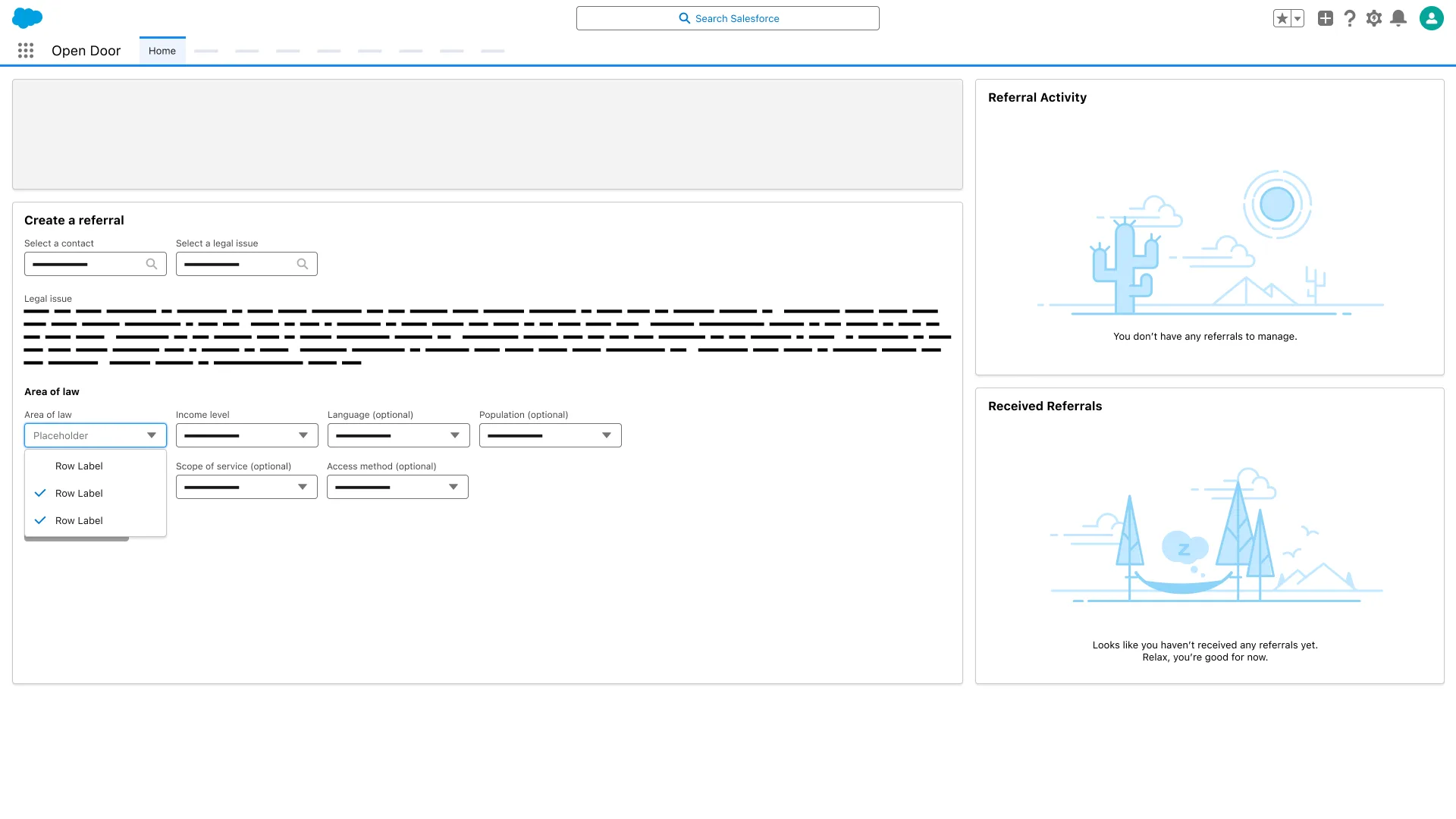
Create a referral screen; Out-of-network tab selected; partner table with Relevance, Area of law, ZIP Code, and Access method columns.

Onboarding

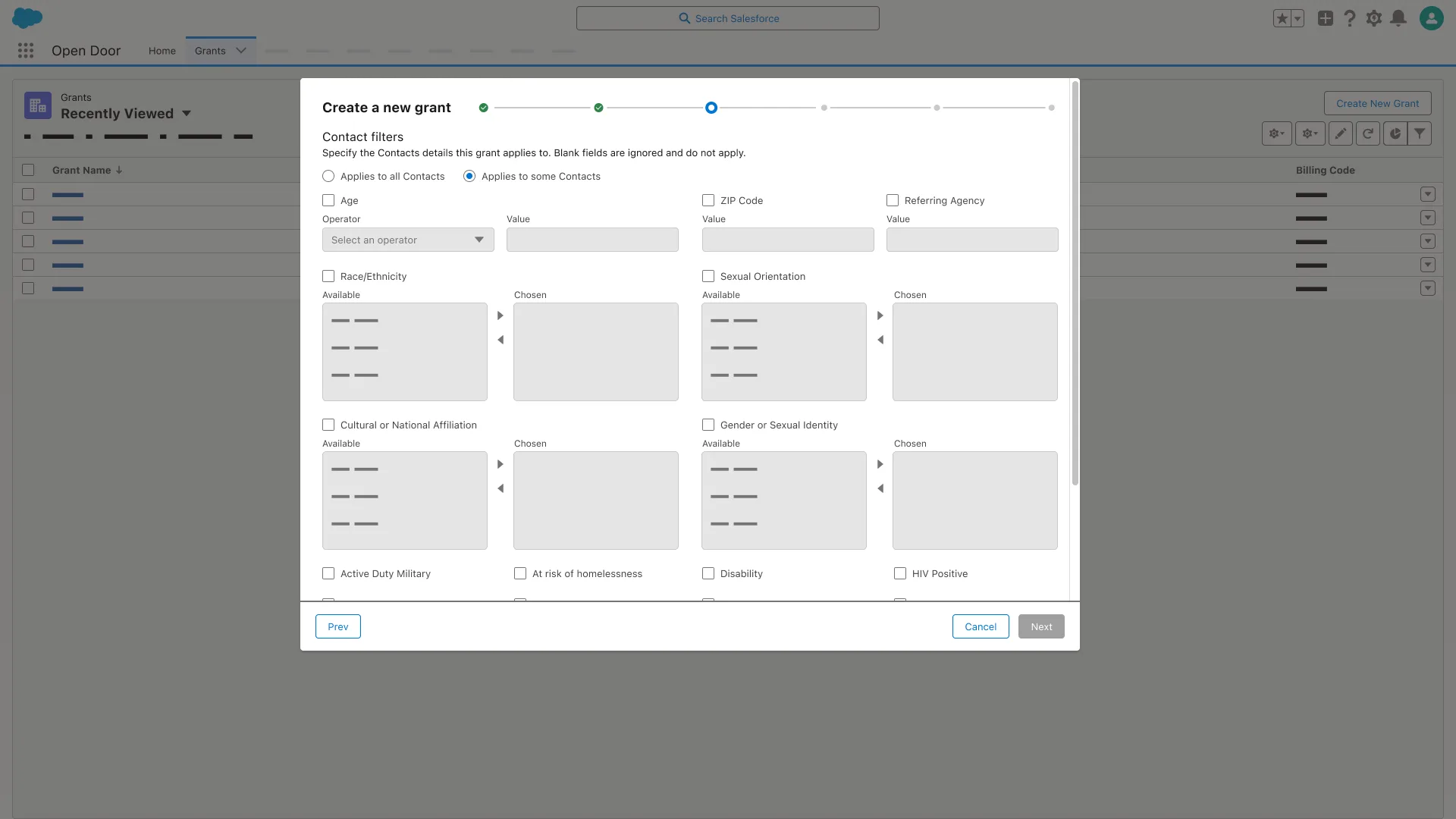
Create a new grant dialog, Contact filters step; Applies to some Contacts selected; Age, ZIP Code, and Race/Ethnicity filter fields.

Management

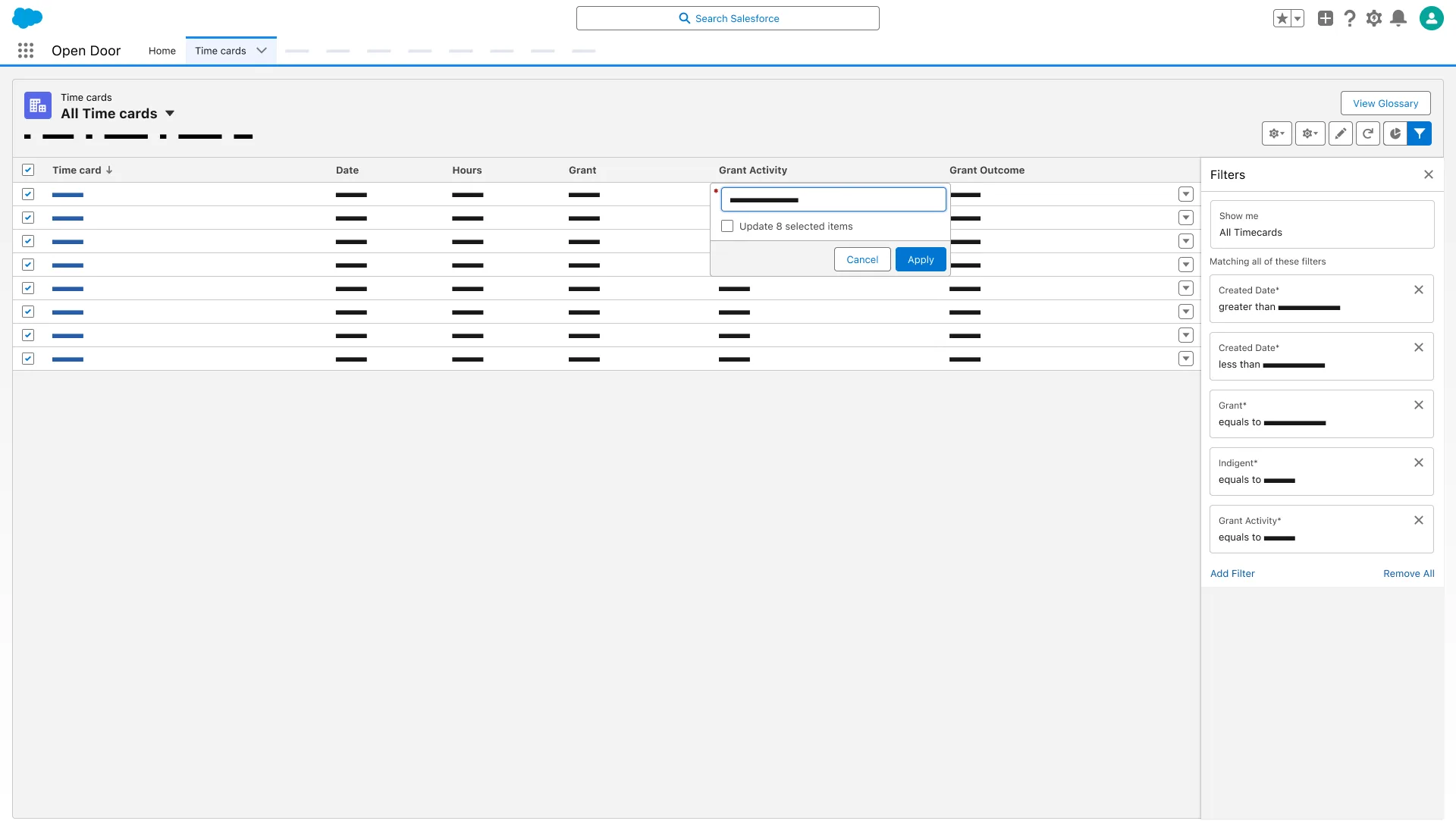
Time cards list view; Filters panel open; Grant Activity column popover reads Update 8 selected items.

Workflows

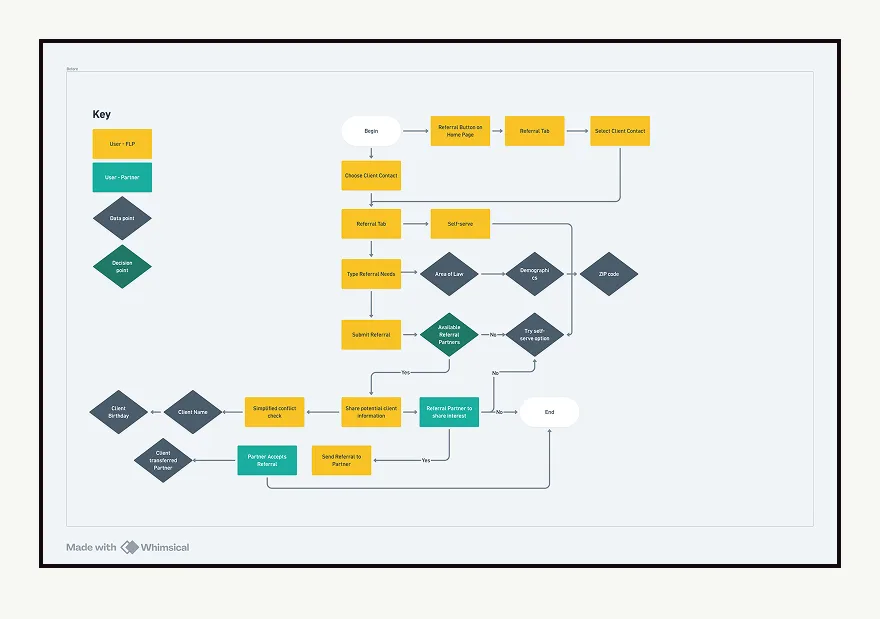
Flowchart of referral process from Begin through partner availability, conflict check on client name and birthday, and partner acceptance.

Phase 1 — The referral feature

ODL's referral process was entirely manual.

When a client's needs fell outside what ODL could directly serve, admins searched an external database, retrieved contact details, and manually reached out by phone, email, fax, or post. Every referral was logged by hand. I was the sole designer—I drove research, defined user flows for both sides of the marketplace, owned all interaction design, and managed the client relationship through reviews and testing.
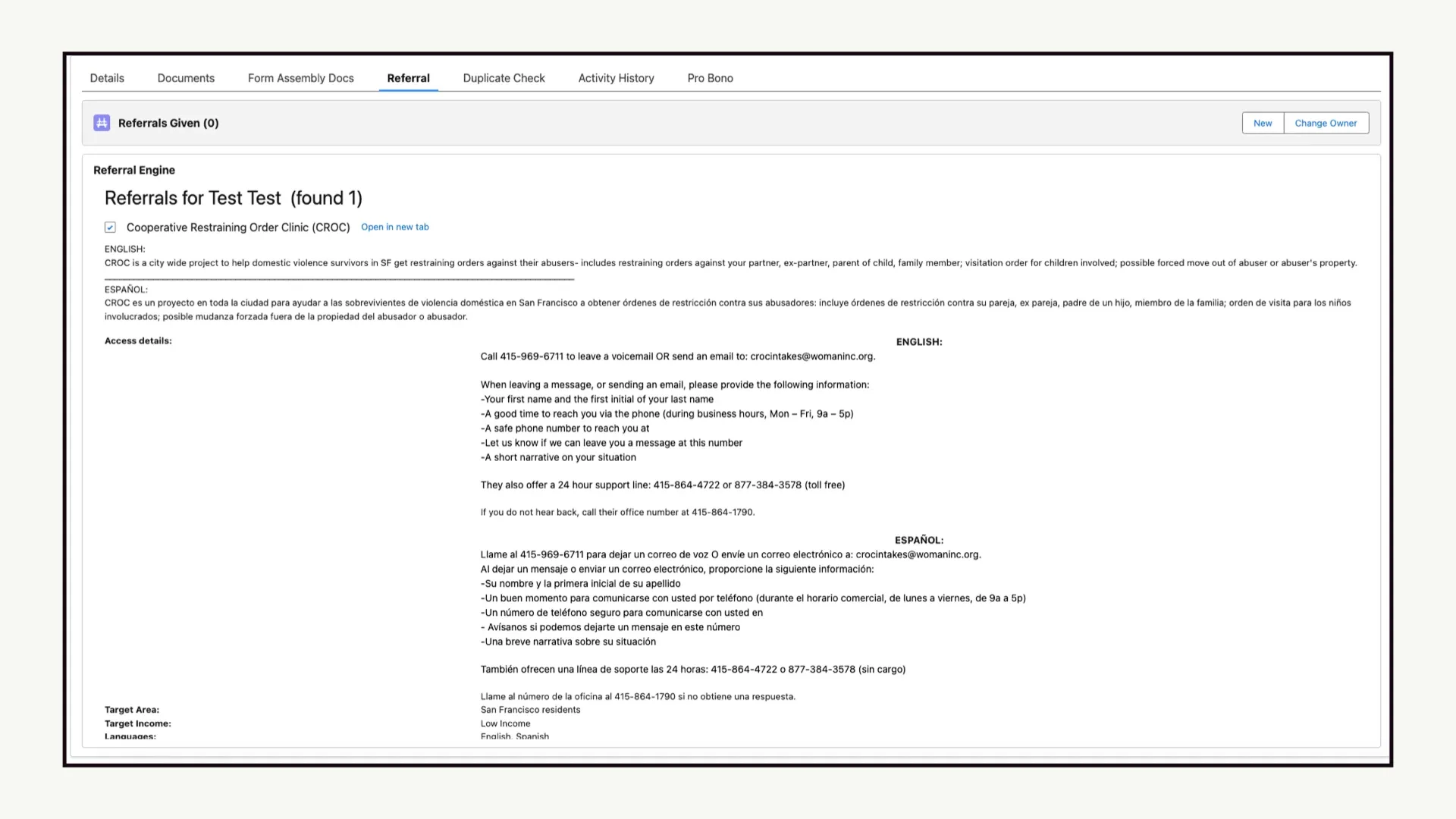
Referral tab, Referral Engine; Cooperative Restraining Order Clinic listed with English and Español access details.

The constraint nobody warned me about

This wasn't just a workflow problem—it was a legal ethics problem.

Attorneys are bound by the California Rules of Professional Conduct. Sharing client information across a network triggers obligations around confidentiality, informed consent, and the duty to prospective clients. A California attorney reviewed the proposed system and issued a formal ethics opinion before we could ship.

Informed consent had to be built into referral creation. Data visible to receiving organizations required explicit scoping. The simplified conflict check was deliberately limited to three fields: first name, last name, and date of birth. The templated outbound client summary only auto-generates after a clean conflict check clears.
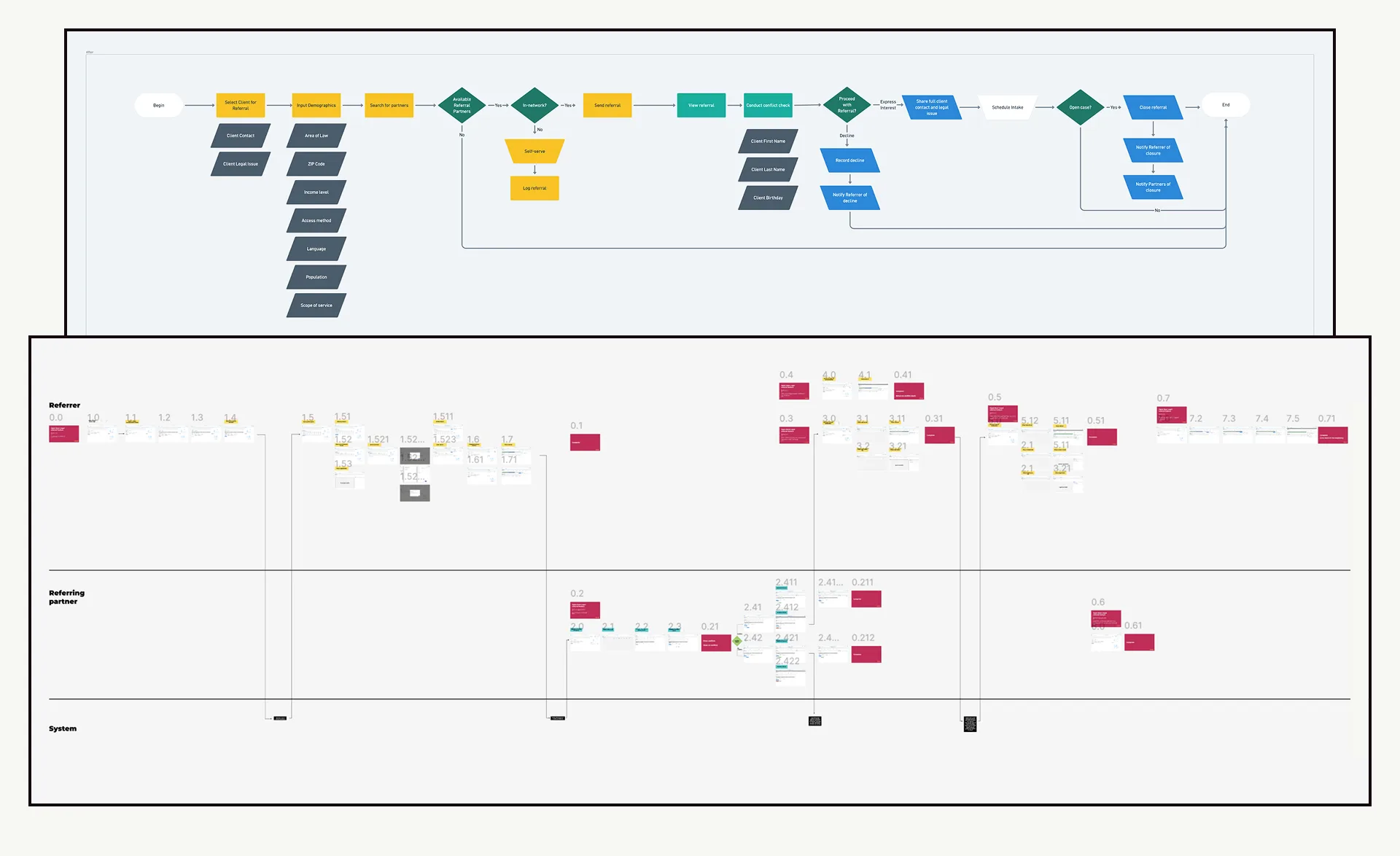
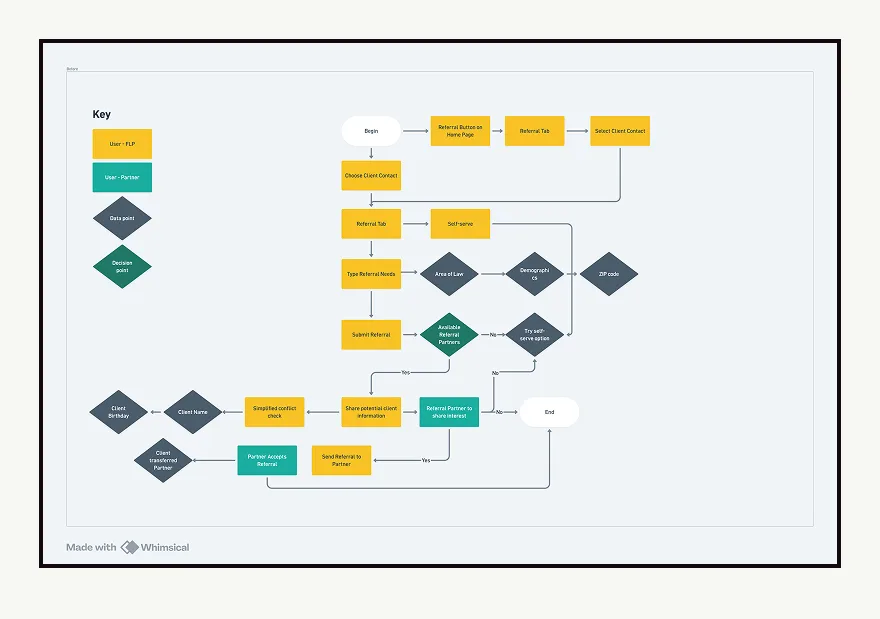
Flowchart of referral steps above numbered screen map for Referrer, Referring partner, and System rows.
Flowchart; Submit Referral leads to Available Referral Partners decision, then self-serve, share client information, or Simplified conflict check.

The decisions that mattered

In-network and out-of-network as first-class concepts.

Not every organization ODL refers to is in Salesforce. I designed in-network and out-of-network as explicit, equal designations at referral creation—keeping the manual path inside the product rather than beside it.

The referral as a self-contained object.

Everything needed to process, act on, or close a referral is present in a single view—a deliberate choice against Salesforce's default related-list navigation for a high-volume, context-switching operation.

Designing for the end state.

A closed referral still needs to communicate completeness and release attention. Staff should leave a closed referral and return to their queue without uncertainty about whether something was missed.
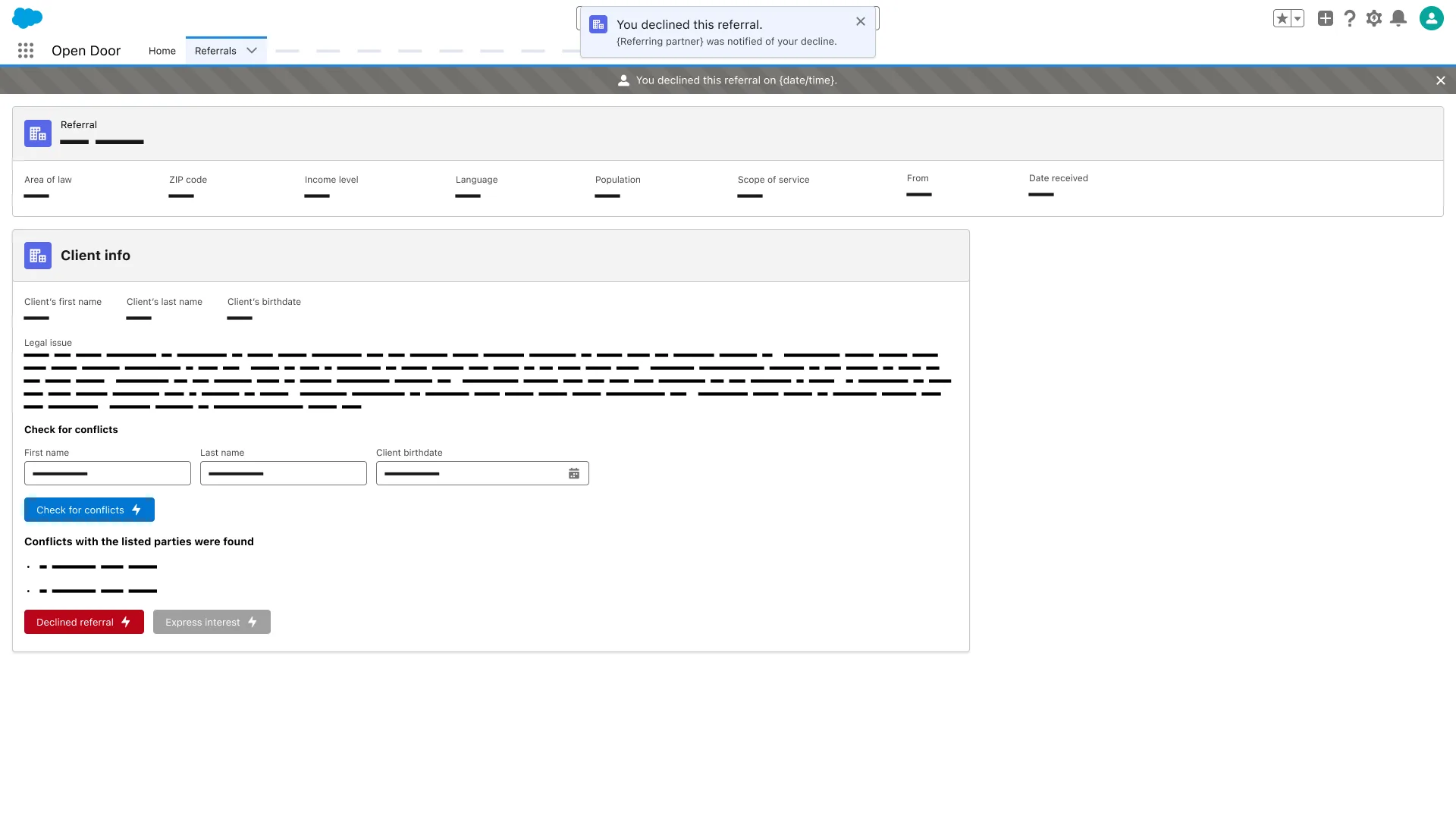
Referral Client info; Check for conflicts fields filled; message Conflicts with the listed parties were found; Declined referral button shown.

Phase 2 — Grant management

Why this problem is existential for a nonprofit.

ODL's funding comes from grants—each with unique reporting requirements. Grant administration was a convoluted, multi-step process: manual onboarding, monthly reconciliation across disconnected reports, and significant manual assembly for funder reports. The risk isn't inefficiency—it's reporting inaccuracy and compliance exposure on renewals.

The brief: redesign grant management in Salesforce to reduce administrative overhead by 90%, with as little burden on line staff as possible. The Beneficiary junction object—connecting contacts, grant activities, intakes, cases, and time forecasts—was the architectural linchpin that unlocked per-funder reporting without manual reconciliation.
What this engagement required that most don't

Ethics as a design constraint.

The consequences of a wrong interaction state aren't a bad user experience—they're a professional conduct violation. That forced precision in consent flows, data visibility, and state communication I'd carry into any high-stakes domain work.

Guiding line staff without burdening them.

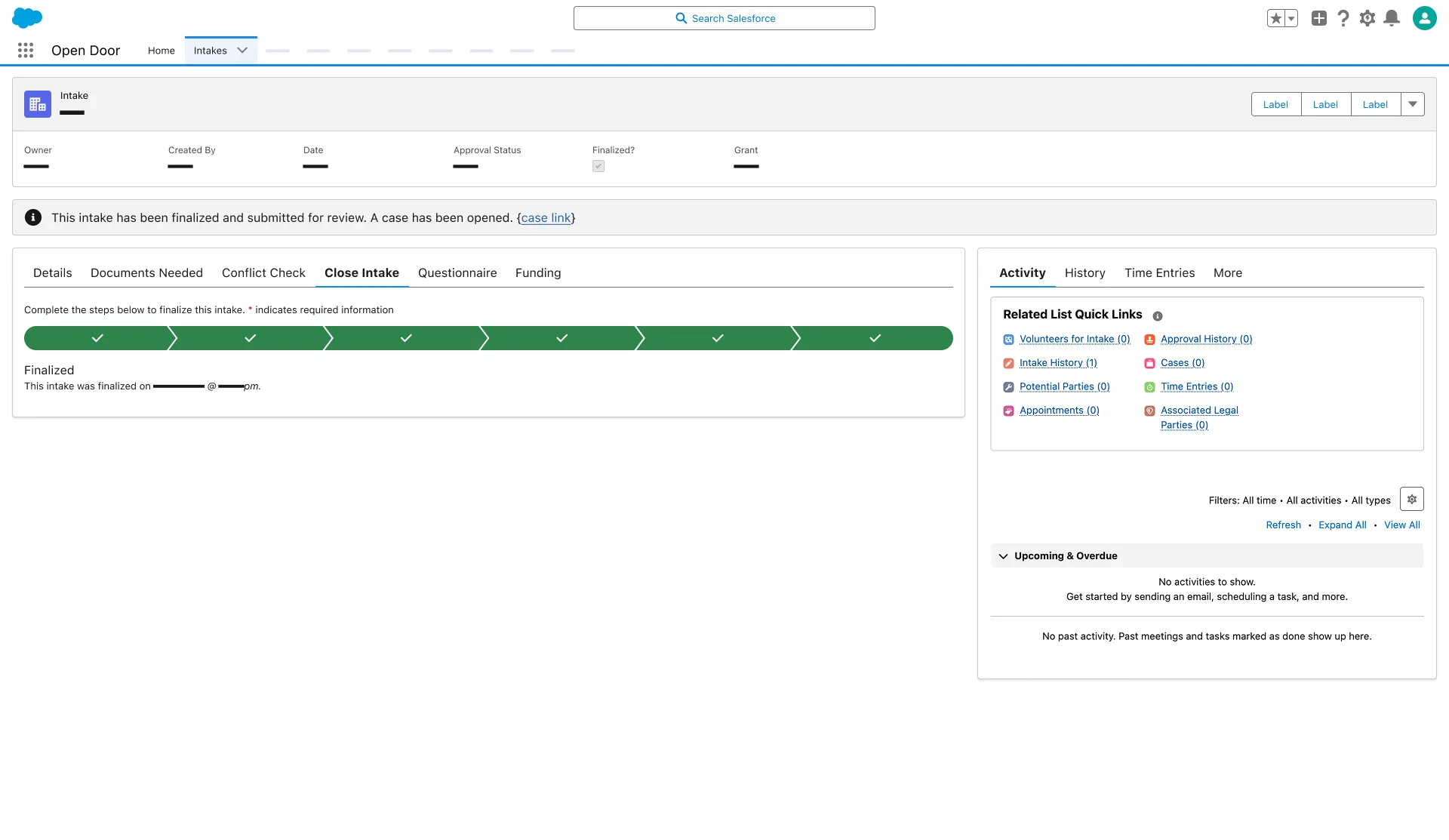
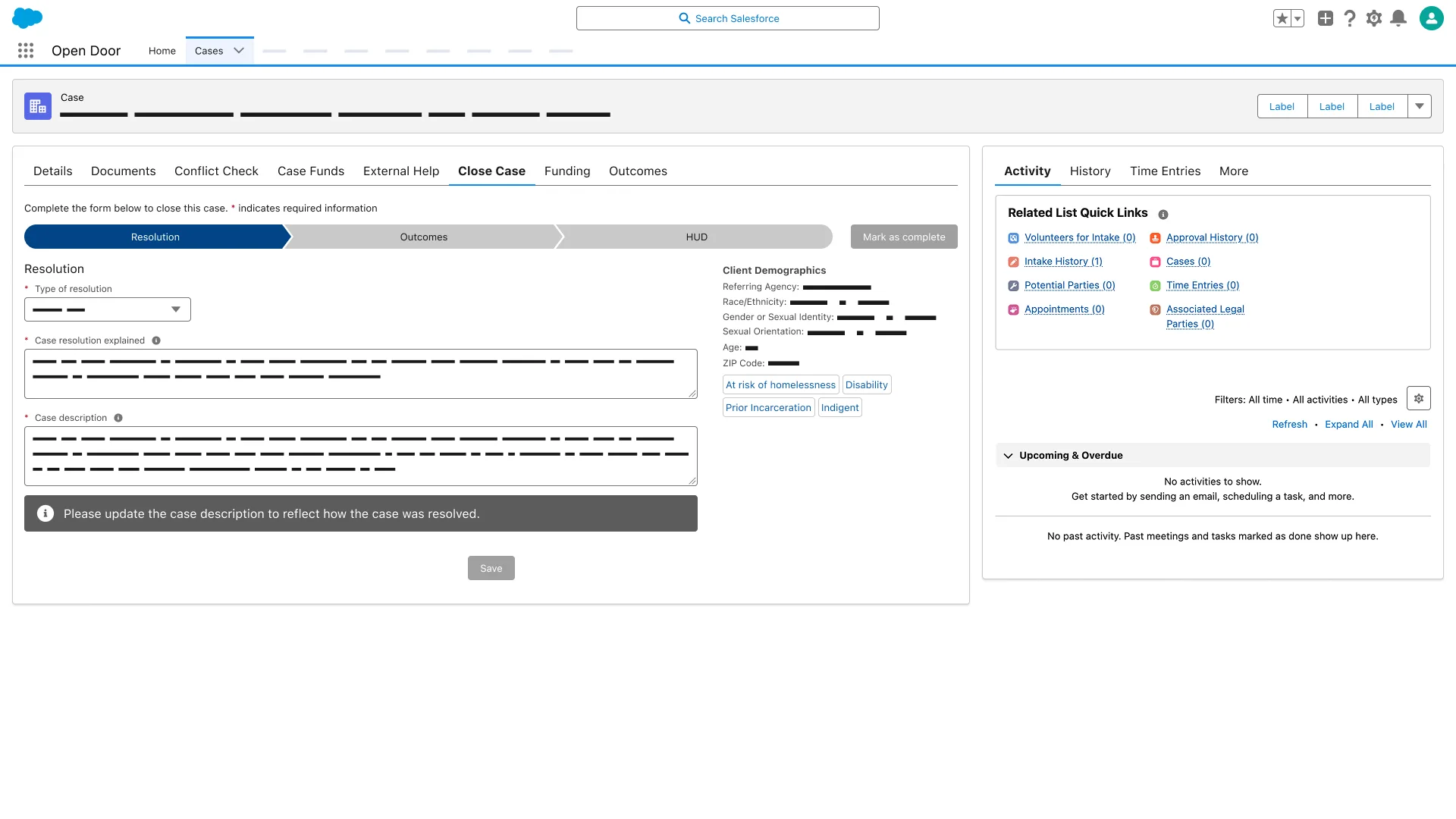
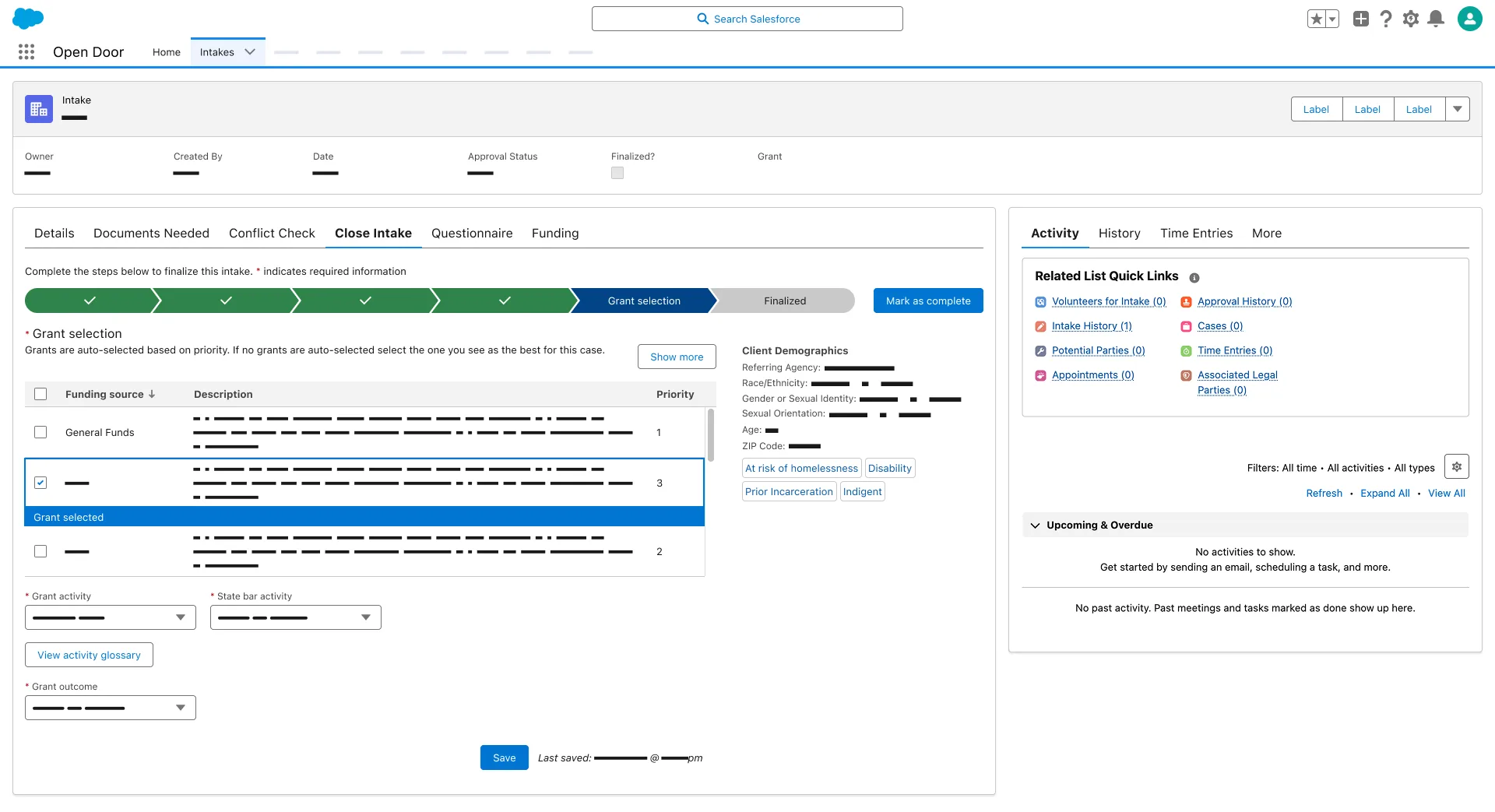
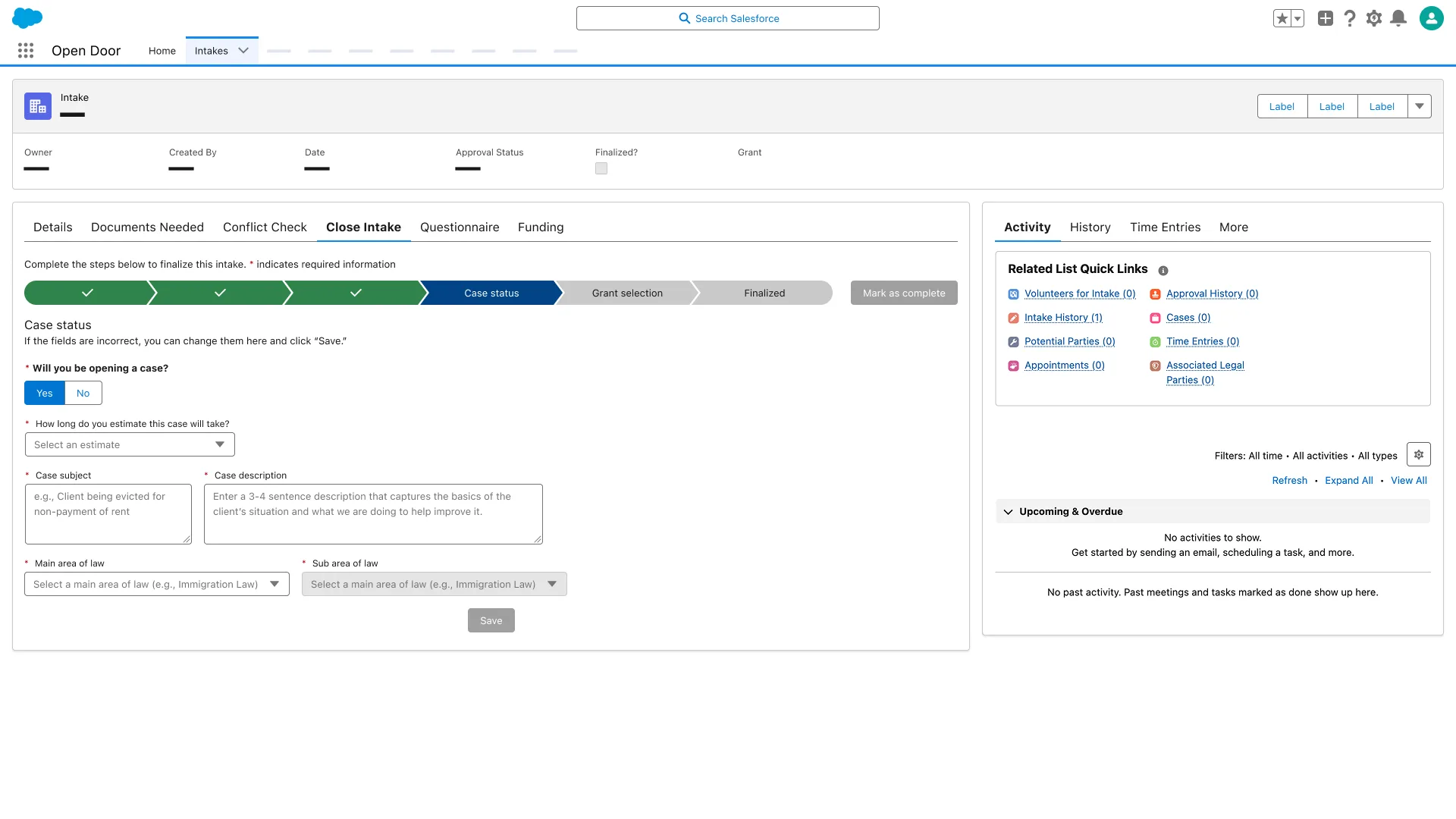
Case managers shouldn't need to think about grant compliance. Intake finalization and case close flows surface grant-relevant fields at the exact moment they're needed—and prevent progression unless required data is entered.

Working upstream of the UI.

The grant data model work required operating at the boundary of UX and systems design—defining what objects needed to exist and how they needed to relate before any screens could be meaningful.
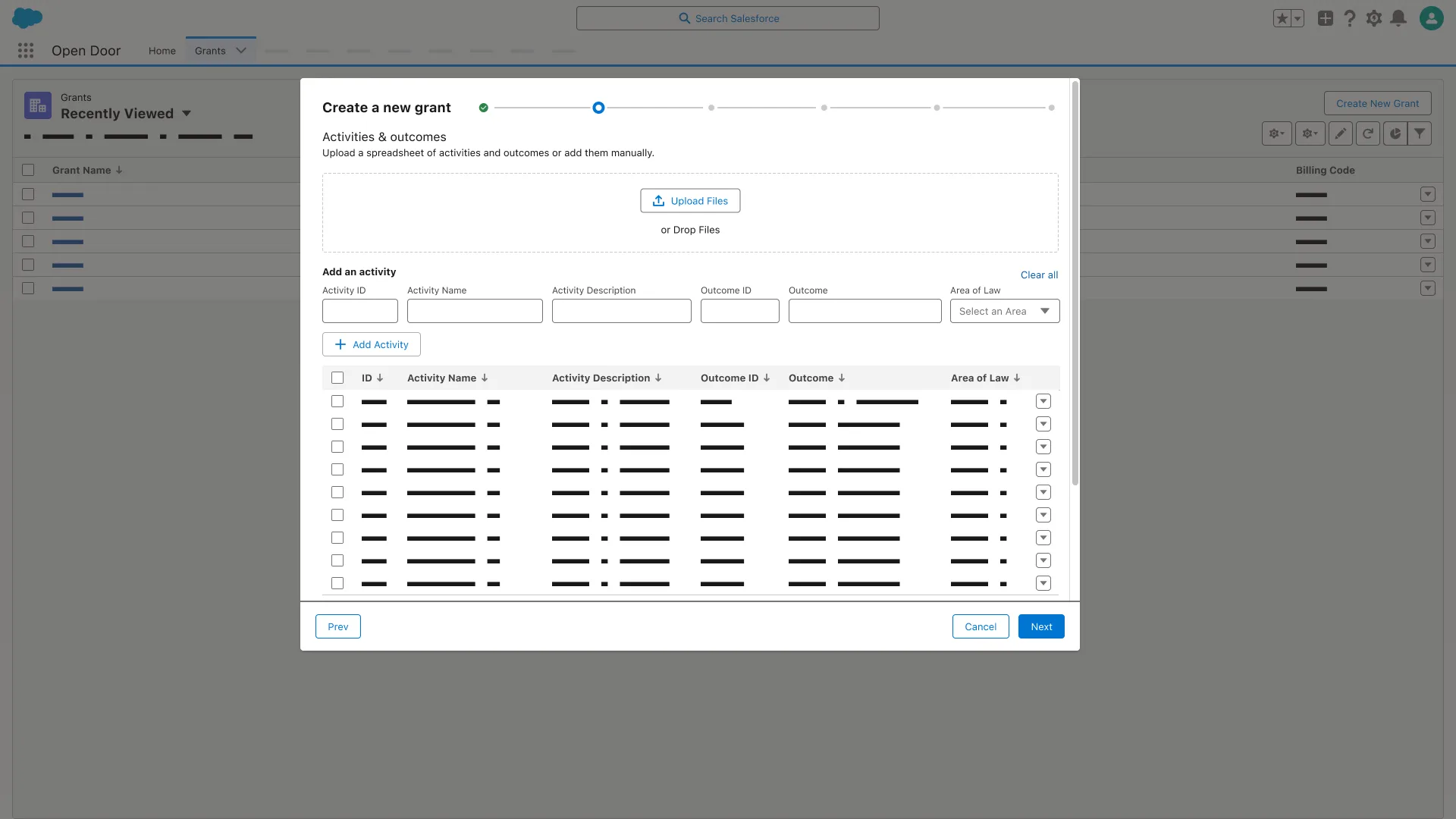
Create a new grant, Activities and outcomes step; Upload Files area; table columns Activity ID, Activity Name, Outcome, and Area of Law.
Close Intake tab; Case status step active; Will you be opening a case, case estimate, subject, description, and area of law fields; Grant selection and Finalized steps ahead.
Close Intake tab; all progress steps complete; banner reads This intake has been finalized and submitted for review. A case has been opened.
Close Case Resolution step; Type of resolution and Case resolution explained fields; banner Please update the case description to reflect how the case was resolved.
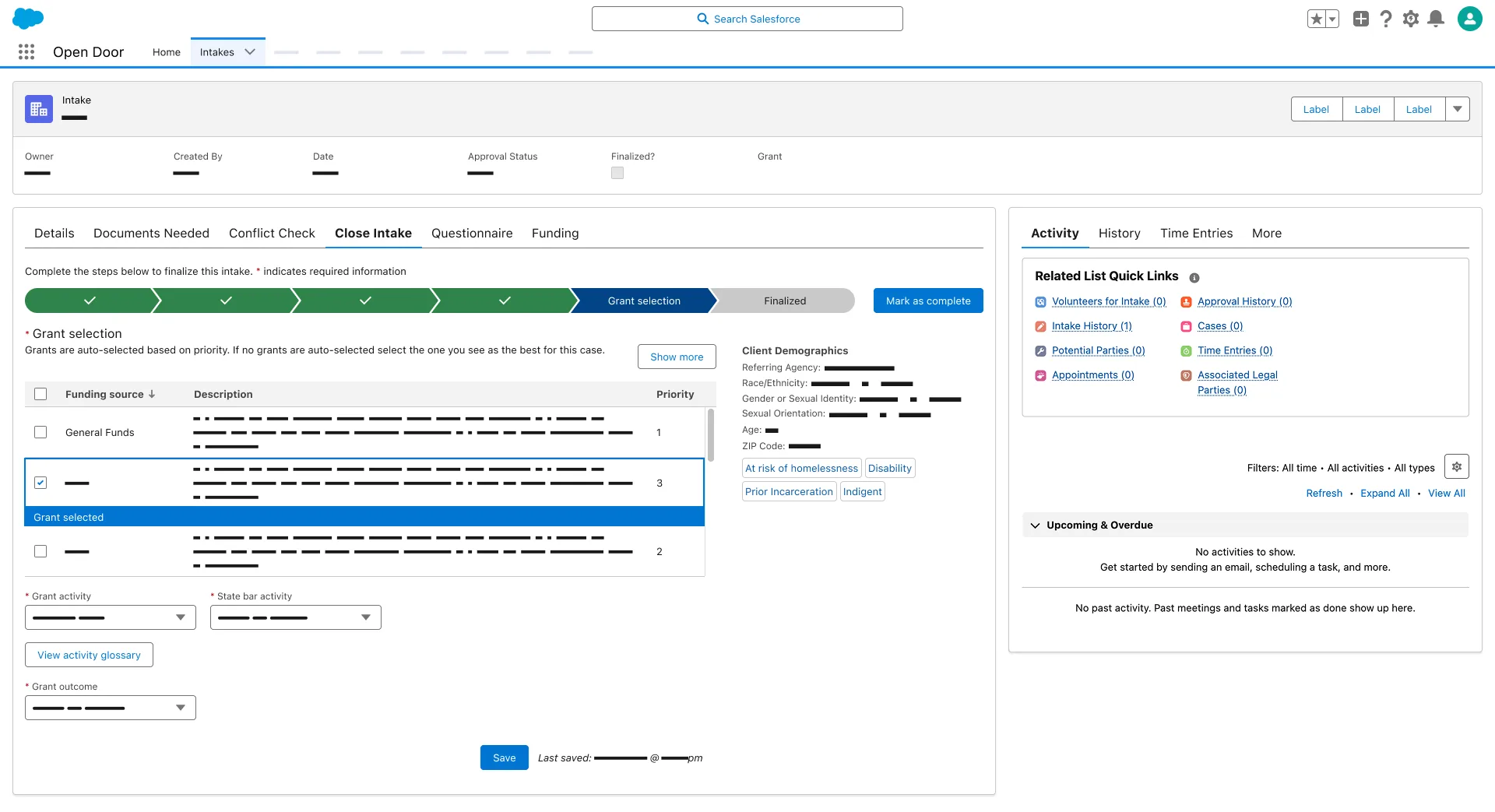
Grant selection step; one funding source row checked and labeled Grant selected; Grant activity and State bar activity dropdowns required.
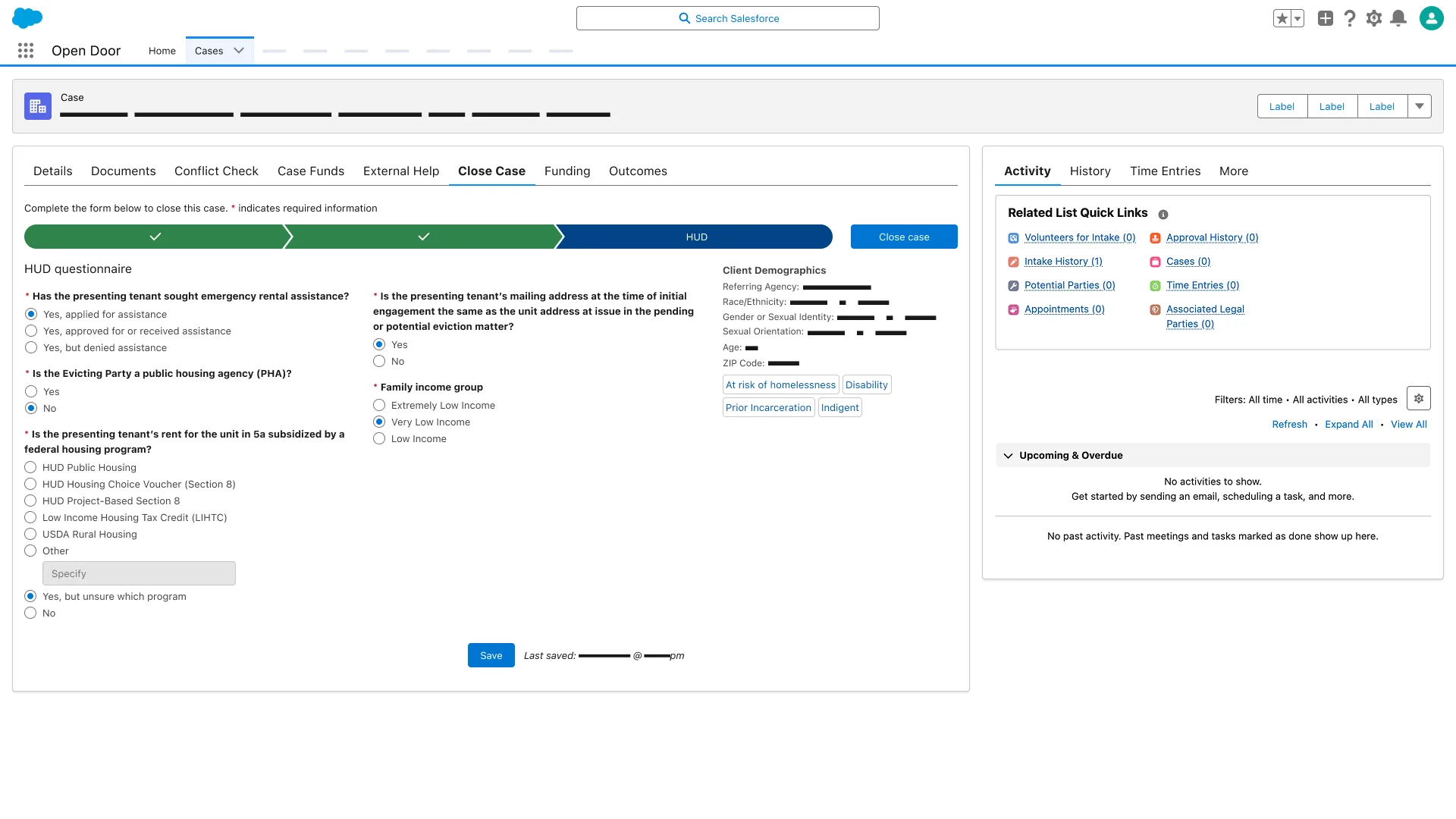
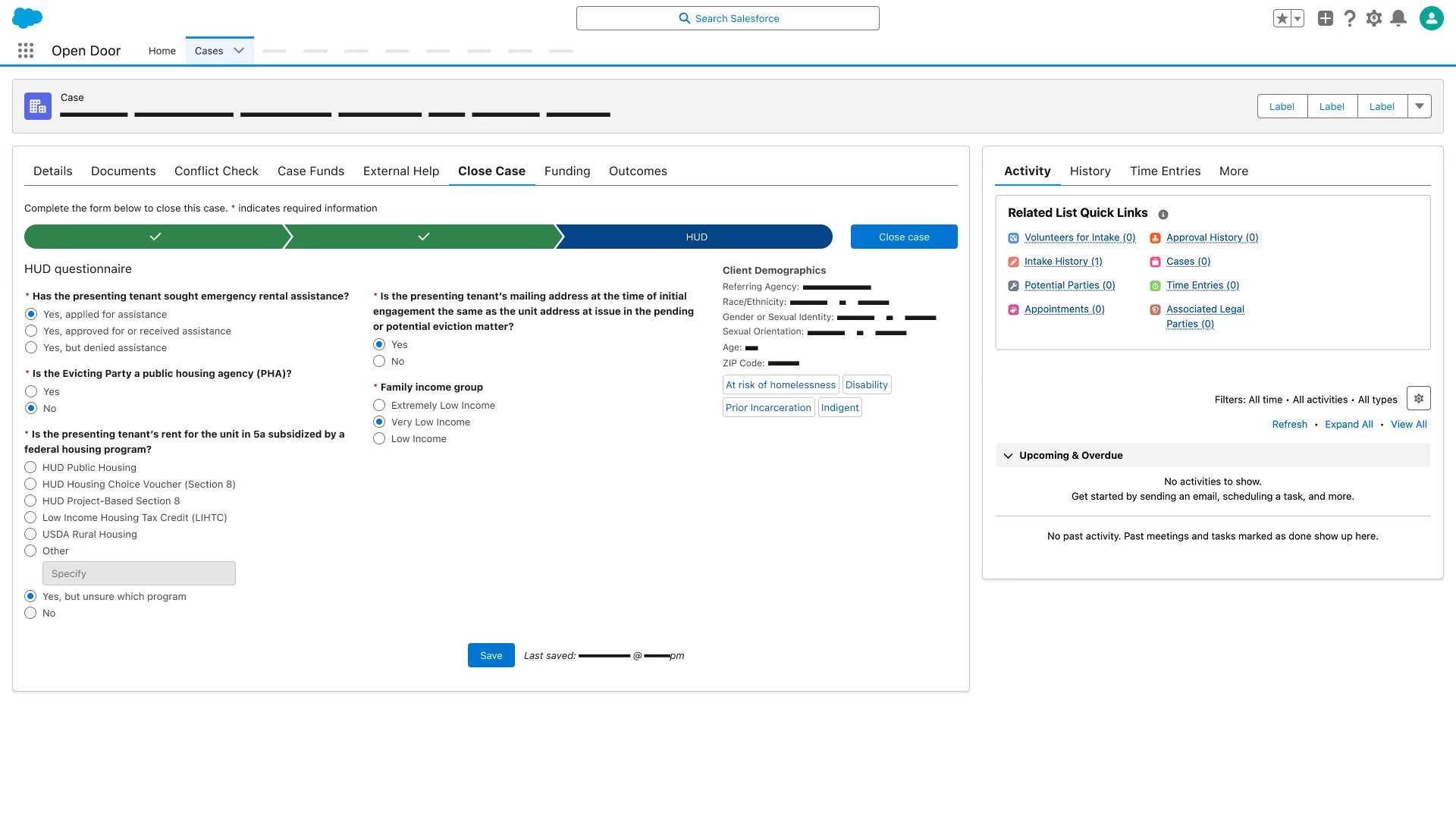
Close Case HUD step; emergency rental assistance Yes applied for assistance; federal housing program Yes but unsure which program; Very Low Income selected.
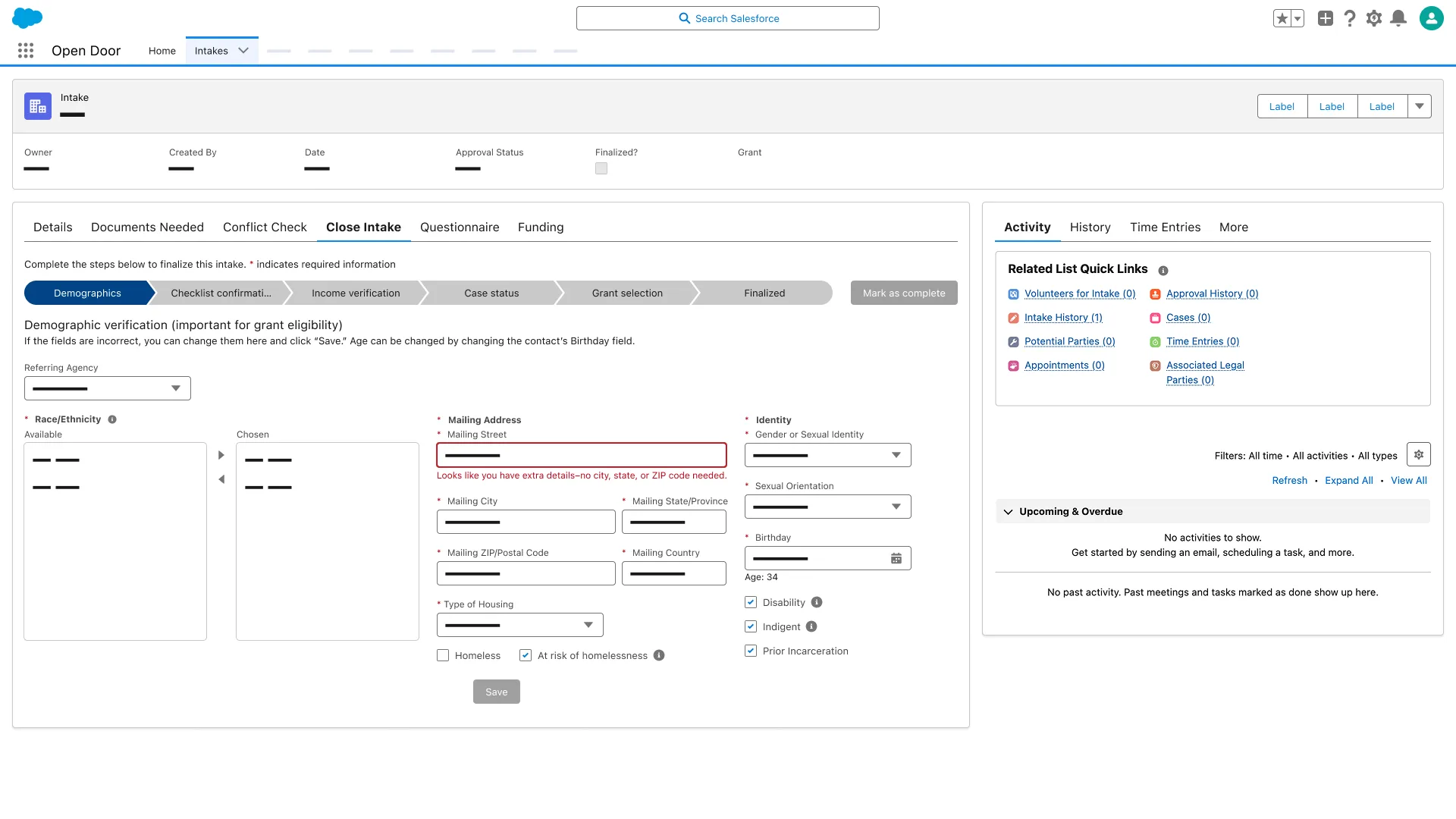
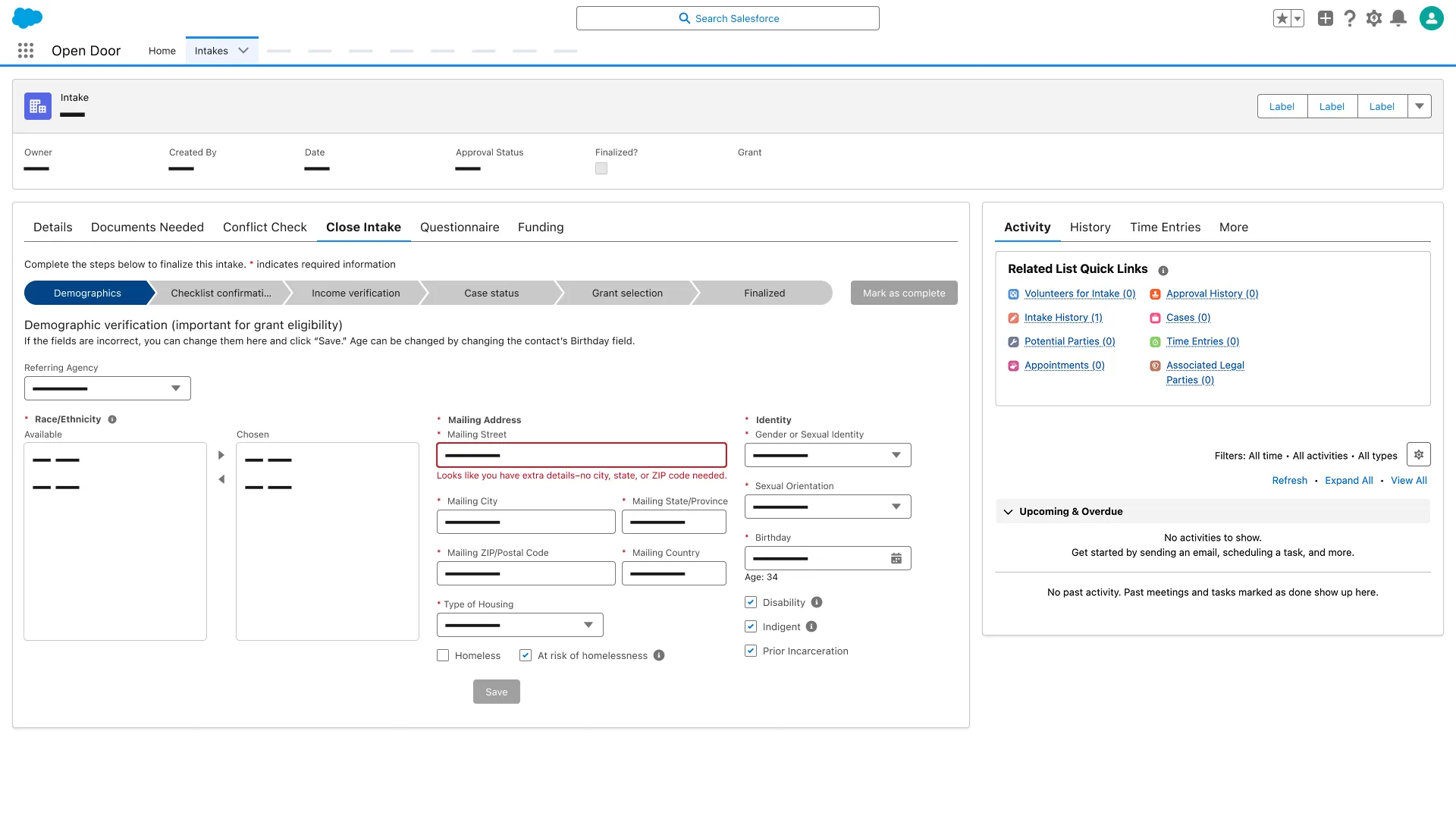
Demographics verification step; Mailing Street validation error; Age 34; At risk of homelessness, Disability, Indigent, and Prior Incarceration checked.
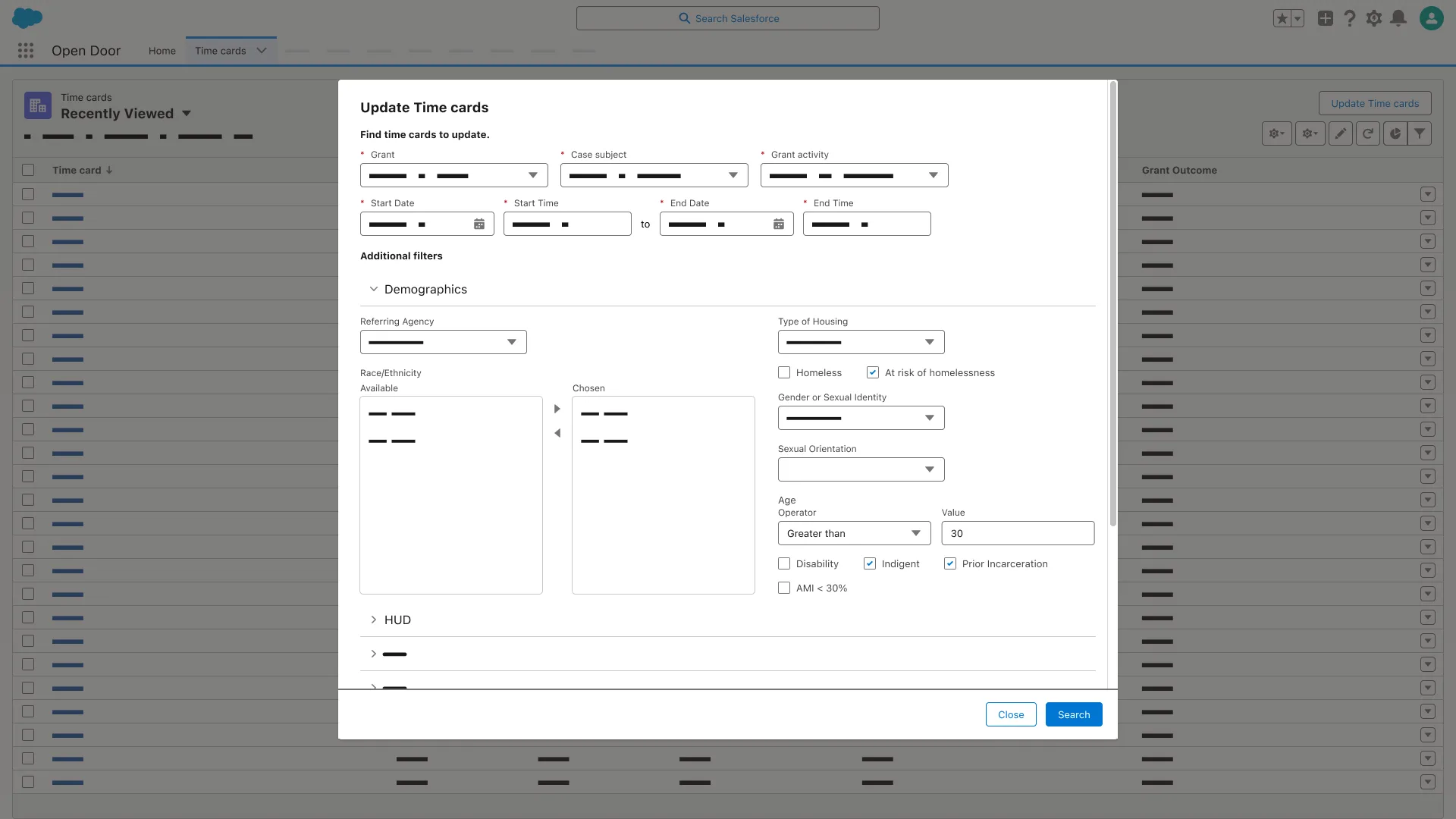
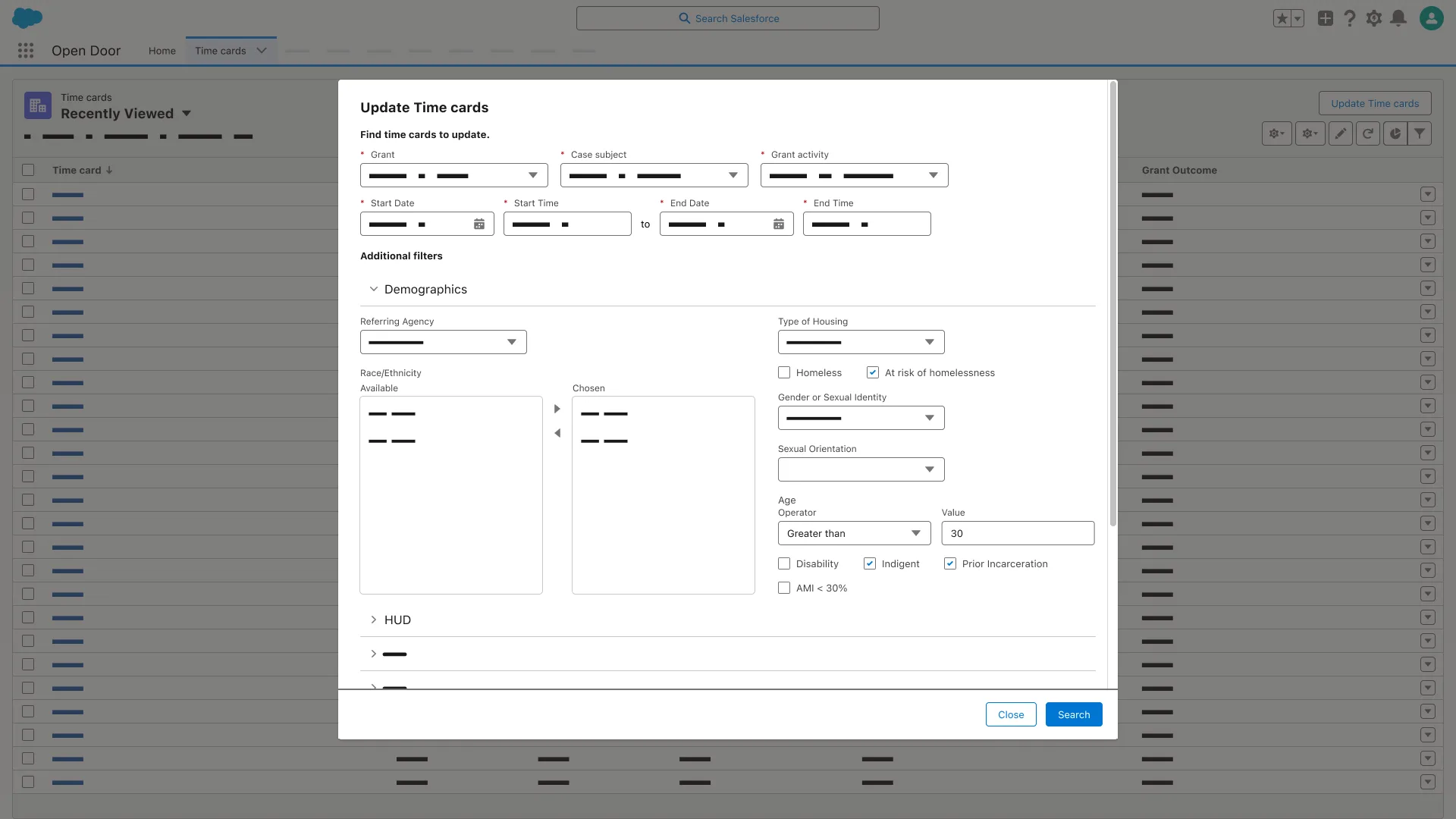
Update Time cards search dialog; Demographics filters expanded; Indigent and Prior Incarceration checked; Search button.
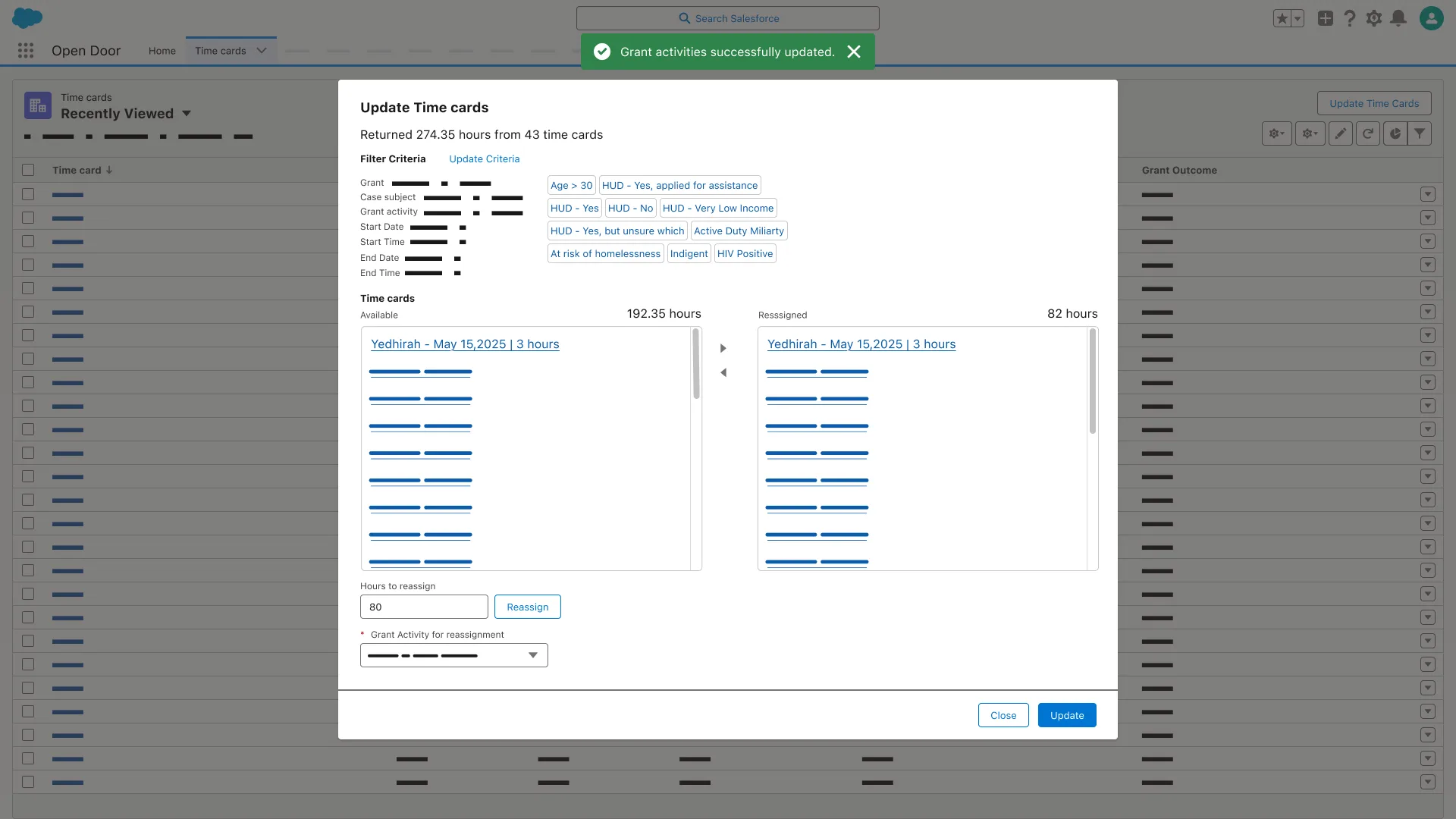
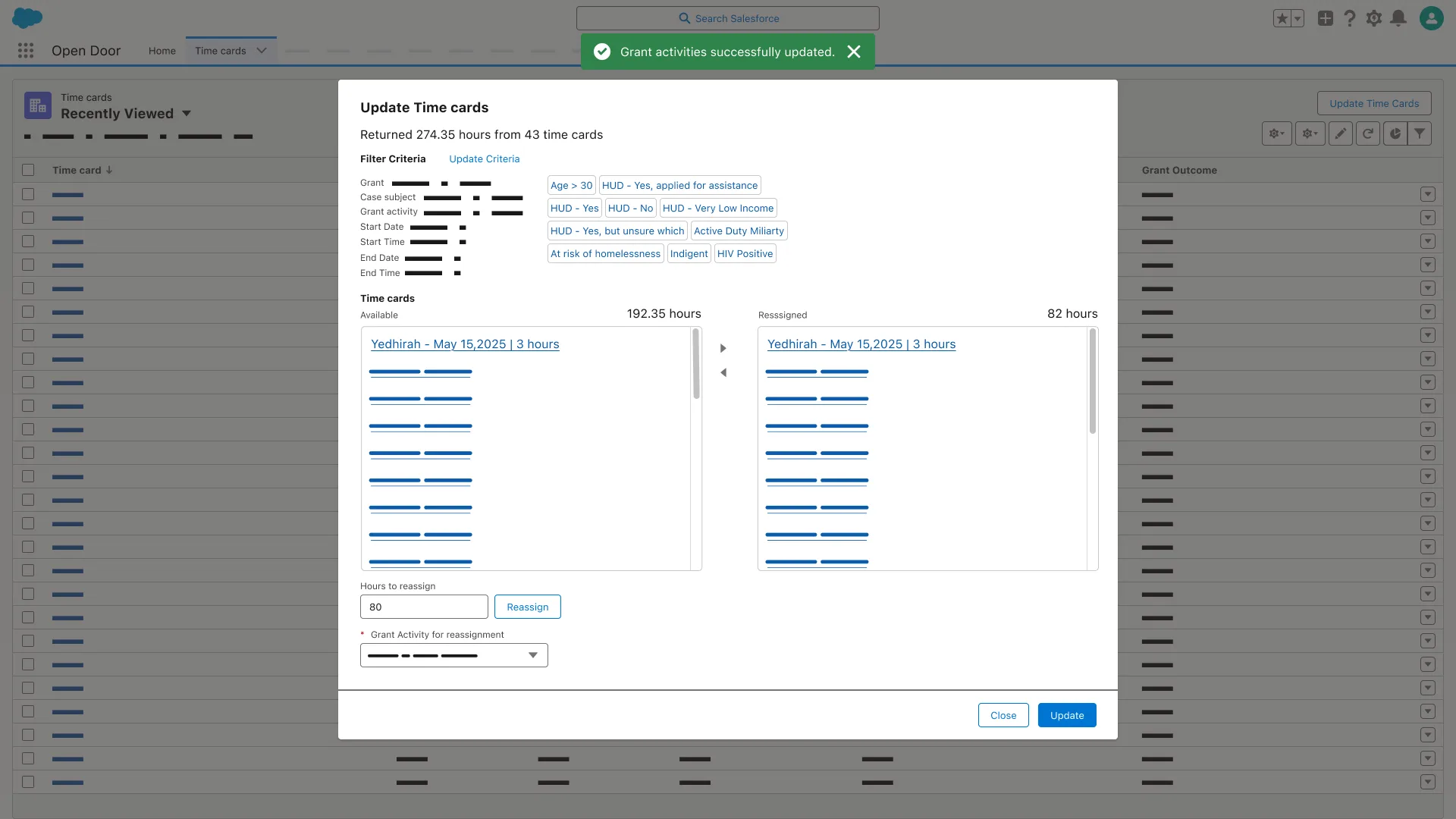
Update Time cards dialog; toast Grant activities successfully updated; Available 192.35 hours and Reassigned 82 hours; Update button.
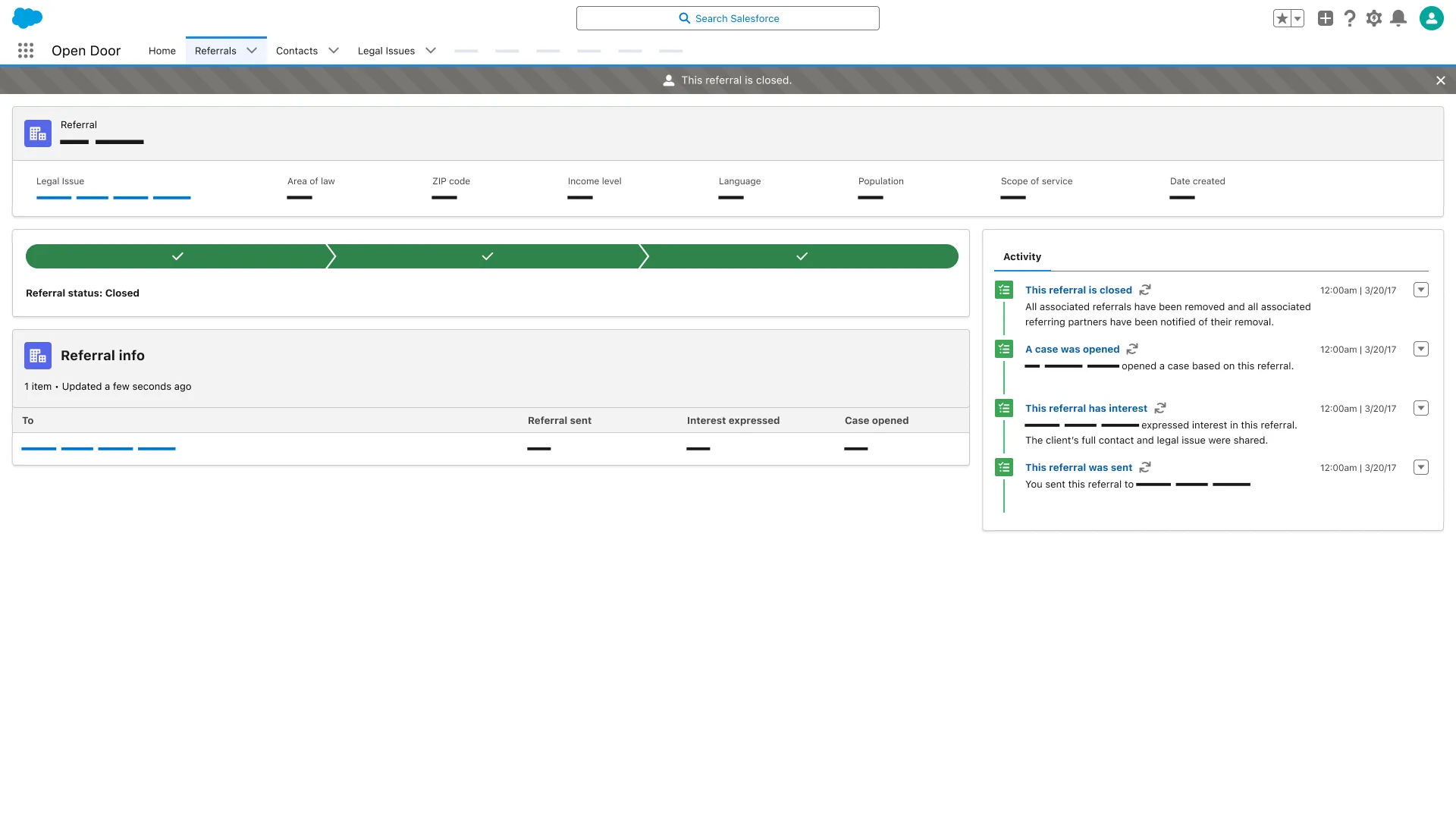
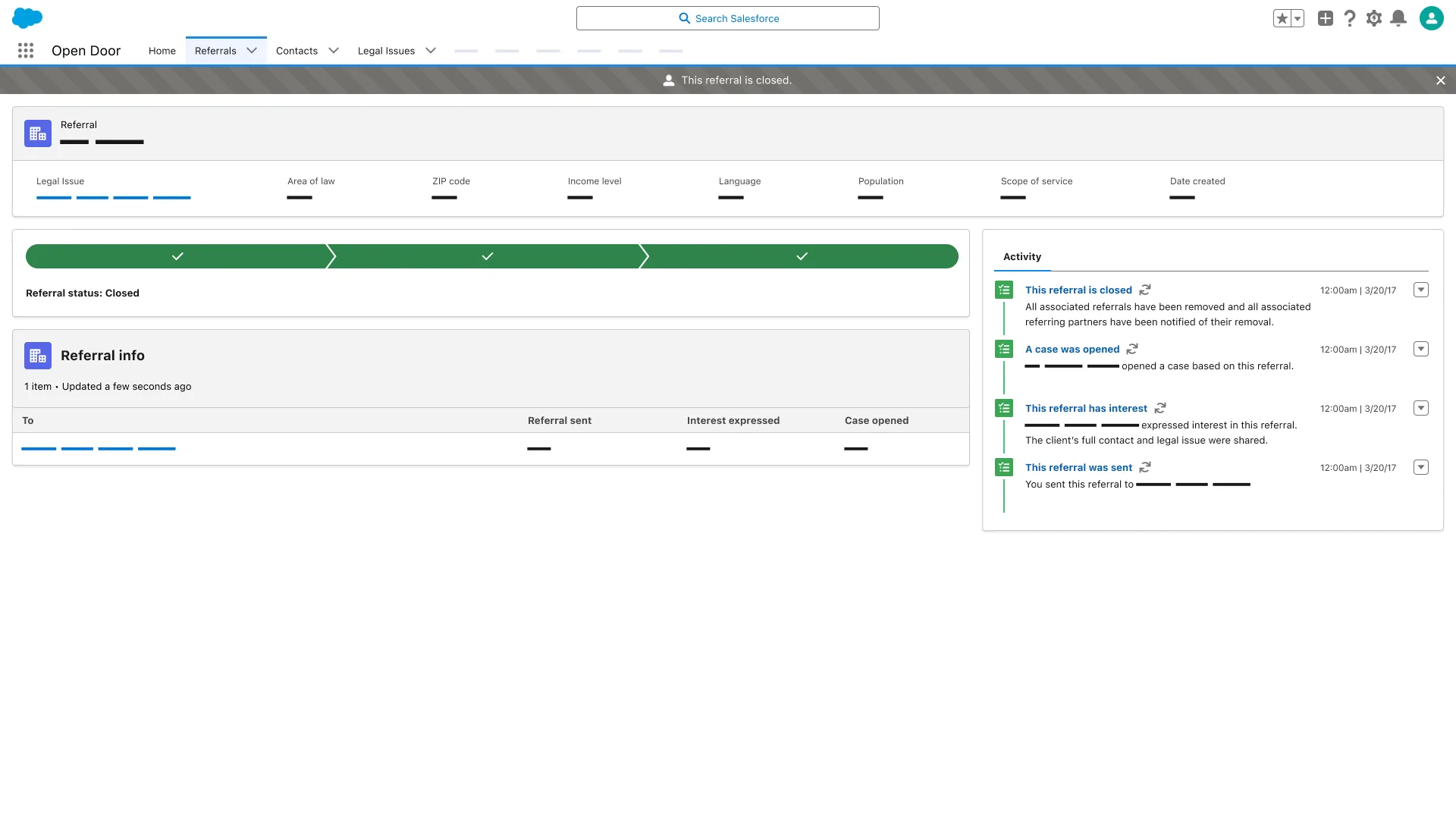
Referral status Closed; Referral info table columns To, Referral sent, Interest expressed, and Case opened; four activity entries dated 3/20/17.
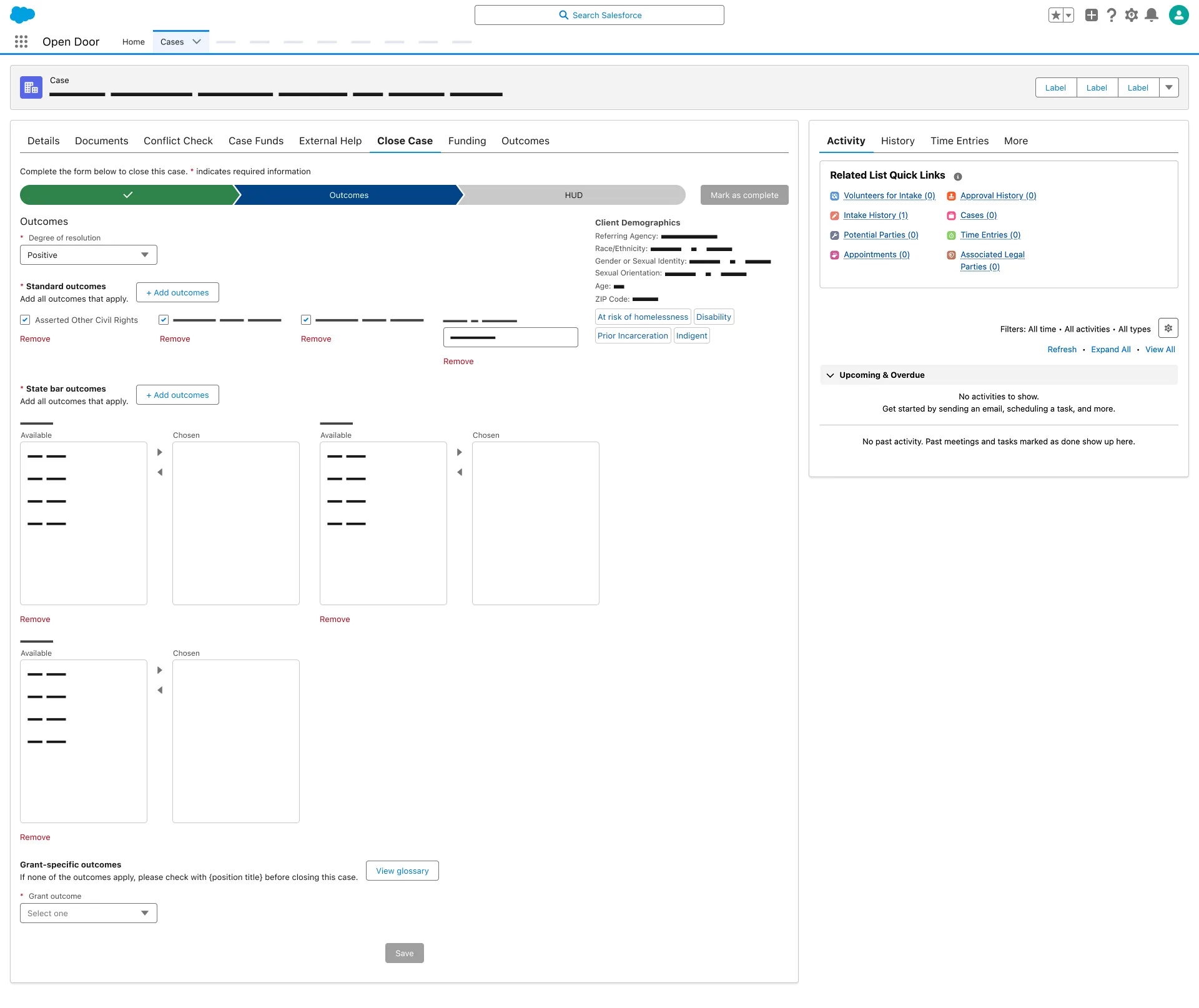
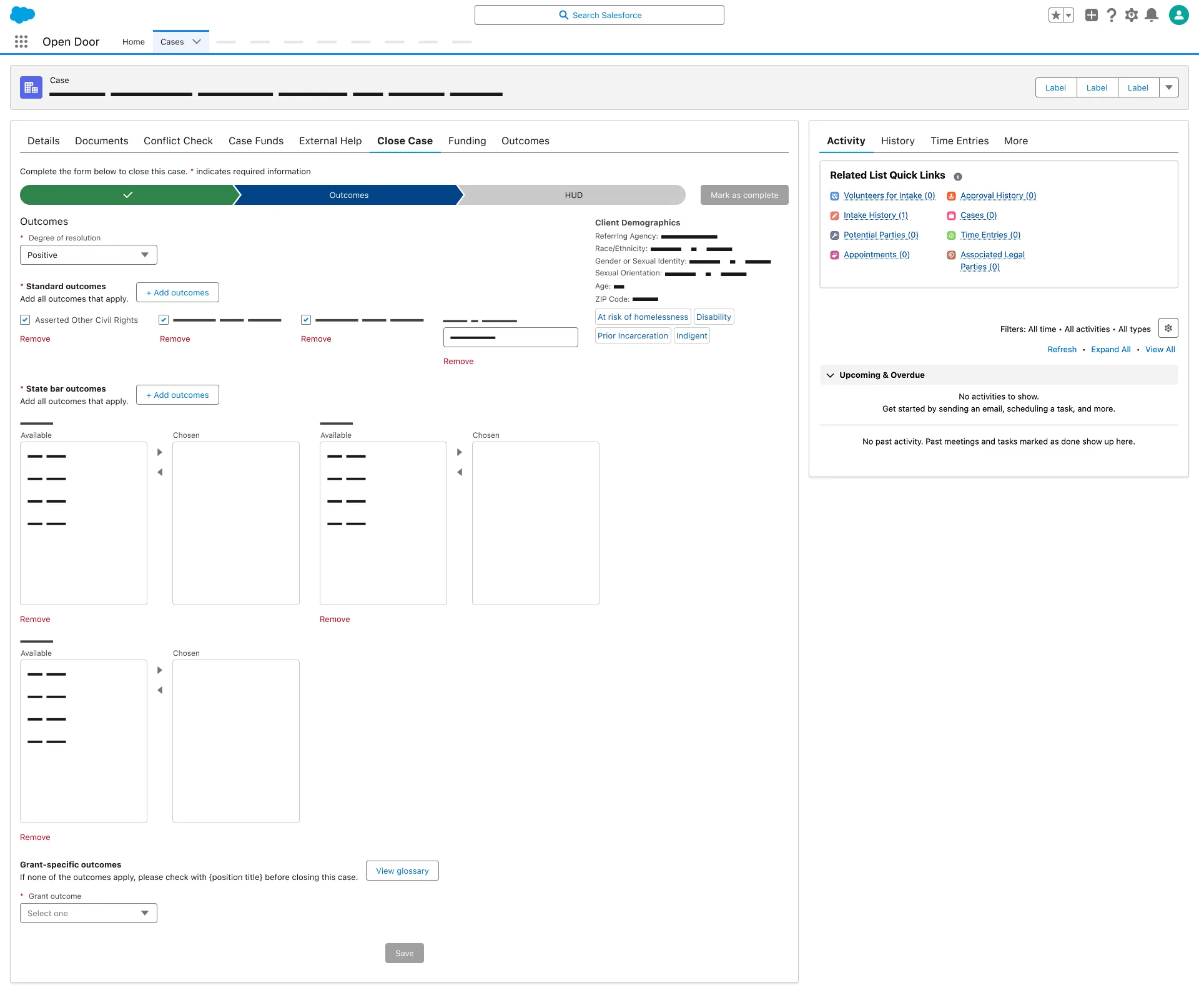
Close Case Outcomes step; Degree of resolution Positive; Standard outcomes and State bar outcomes Available and Chosen lists.
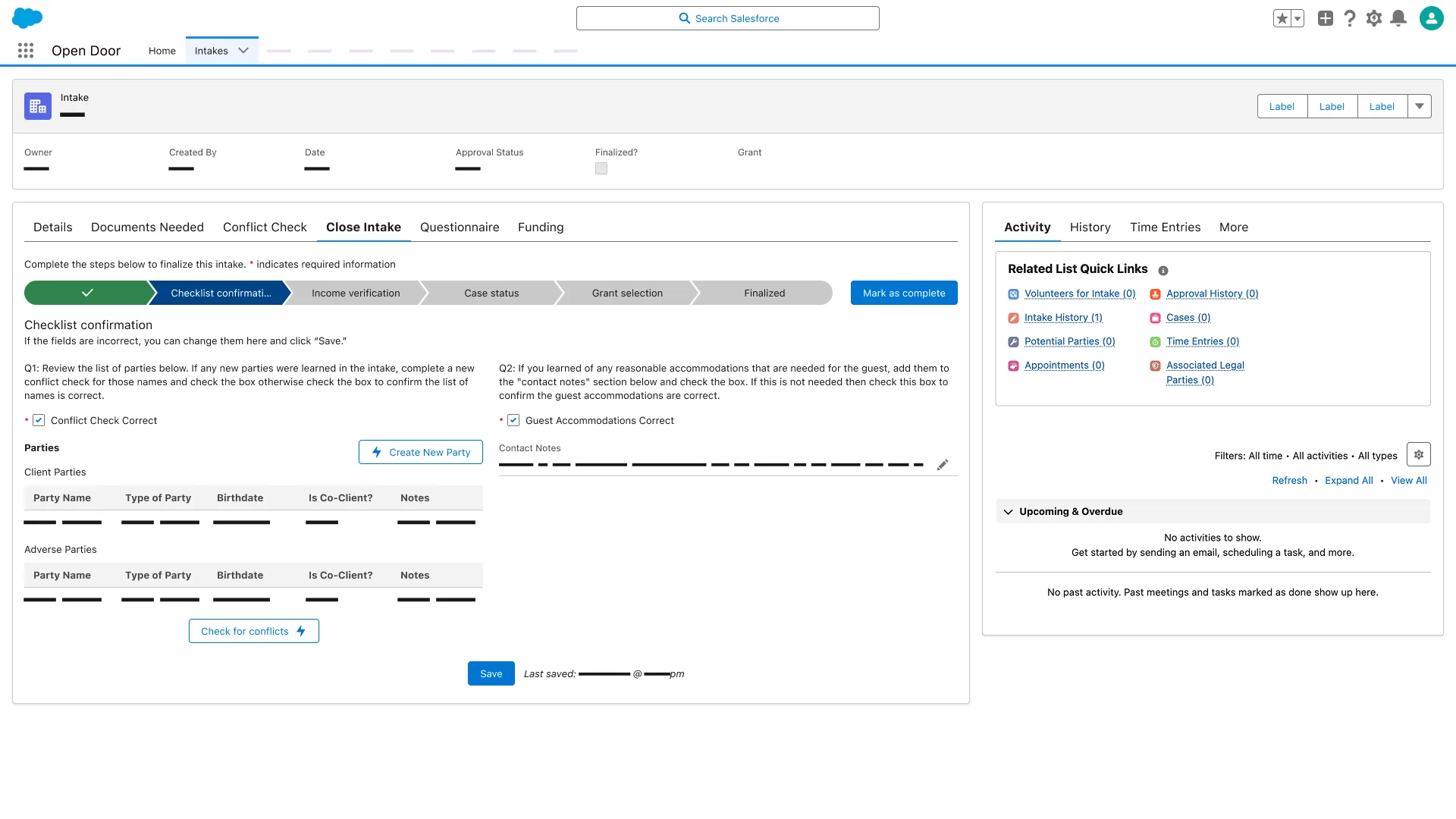
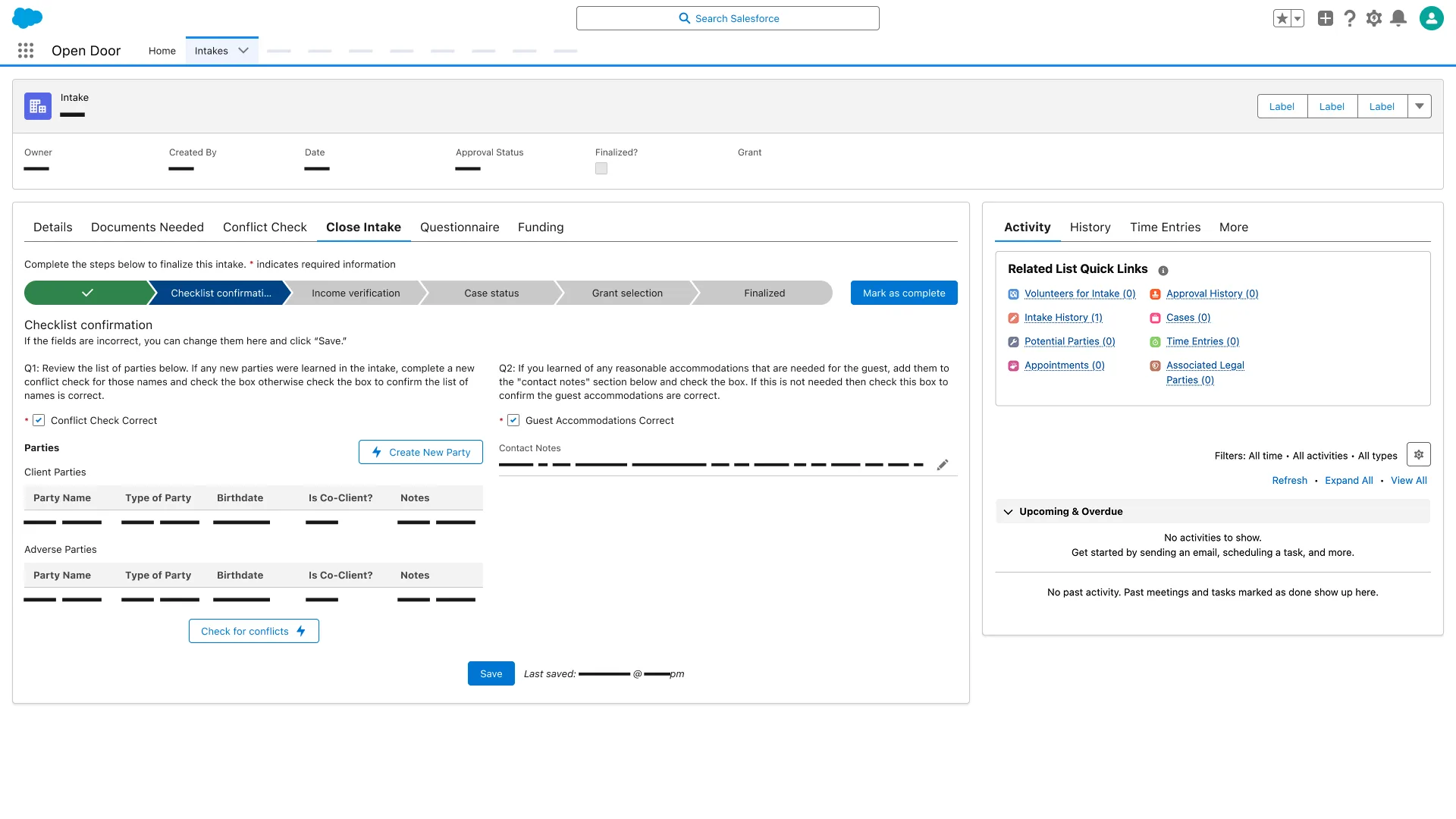
Checklist confirmation step; Conflict Check Correct and Guest Accommodations Correct checked; Client Parties and Adverse Parties tables.

Results

“You're the best designer we've ever had.”

Executive Director Open Door Legal

NPS hit the 120-day target of 80 following the referral feature launch. Redundancies in referral handling were down 16% at measurement. Phase 2 grant management is in QA ahead of deployment—the 90% administration reduction is the production hypothesis.

Your rivals expect you to sleep on your UX. They thrive on what you ignore. Prove them wrong

Continue to Zix

Next project

21 apps. 1 system. $860M exit.

Unifying apps across a merger

$860M acquisition
Keep scrolling

Continue to Zix